Live map of buses, trams and metros
A map on which every bus, tram and metro in the Netherlands moves live, coloured by delay, from one open 180 kB file and without a key.
geef_project("ov-live-kaart")geef_bron("ndov-ov-data")
I have the project, the tested calls and the pitfalls. I'll build a map with Public transport data via the NDOV desk. This is how it could look:
You build this yourself. Copy the prompt into Claude, ChatGPT or Cursor, with the MCP server on, or follow the steps below.
- −1 to +3 min1,107
- ≥ 3 min late132
- ≥ 1 min early167
This is a mockup, not a working version, with the OVapi vehicle positions (GTFS-realtime) of Saturday 17 October 2026, 23:34:26, with the line names from the timetable (routes.txt). Turn the MCP server on with the address on For AI.
Who it's for
Anyone building a first live map, public transport enthusiasts, municipalities and journalists who want to see where public transport is running now and how late it is.
What you get
A web map (Leaflet or MapLibre) with a dot per vehicle, coloured by delay, refreshing every 30 to 60 seconds. Click a dot for line, operator and delay. A filter on type (bus, tram, metro) and operator.
Test run on Friday 16 October 2026 at 23:50: 1,277 vehicles with a position (48 without). Of those, 1,042 buses, 188 trams, 22 metros and 25 that could not be found in the timetable. Largest operators at that moment: Qbuzz 206, RRReis 171, GVB 146. Of the 1,232 vehicles with a fresh position, 158 were three minutes or more late and 141 a minute or more early. 28 vehicles were driving in the centre of Utrecht.
Buses, trams and metros with a live position, by operator: most Qbuzz (39 vehicles), then Connexxion and EBS
Buses, trams and metros with a live position, by operator, October 2026, in vehicles. Total: 95; the largest 7 of 7 categories are shown. Qbuzz is 41% of the total. Snapshot of Sunday, 25 October 2026 at 03:33: buses, trams and metros with a live position. Trains are in a separate file.
How you could start5 steps
- 1
Fetch the vehicle positions
openOV turns the NDOV streams into a GTFS-Realtime file with every vehicle's position every minute (180 kB). No key, CC0 licence. It only has buses, trams, metros and a few ferries from eight operators (CXX/Connexxion, ARR/Arriva, QBUZZ, GVB, EBS, RET, HTM, KEOLIS); trains are in trainUpdates.pb. Ask at most once every 30 seconds, with your own User-Agent; too many requests in a row return 429.
https://gtfs.ovapi.nl/nl/vehiclePositions.pb
HTTP/2 200
last-modified: Fri, 16 Oct 2026 21:51:26 GMT
content-length: 180742
(protobuf; uitgepakt bijvoorbeeld: id "2026-10-16:CXX:M340:242", trip_id 391357596, route_id 147347,
 positie 52.25877 / 4.76819, timestamp 1792186396, voertuig 2118, OVapi-vertraging 16 s)
- 2
Read protobuf without a library
You can use gtfs-realtime-bindings, but your own reader is thirty lines: each field is a key (field number × 8 + type) followed by a varint, a 4- or 8-byte number or a length plus bytes. FeedMessage field 2 = entity, FeedEntity field 4 = vehicle, VehiclePosition field 1 = trip, 2 = position (1 = lat, 2 = lon, float), 5 = timestamp, 8 = vehicle. The delay is in the OVapi extension, field 1003 → 1, in seconds (negative = early).
https://gtfs.ovapi.nl/nl/gtfs-realtime-OVapi.proto
message OVapiVehiclePosition { // Estimated arrival-delay at the next stop (in seconds) can be positive (meaning that the vehicle is late) or // negative (meaning that the vehicle is ahead of schedule). Delay of 0 // means that the vehicle is exactly on time. optional int32 delay = 1; } - 3
Take only routes.txt from the 241 MB timetable
Line number and type (tram, metro, bus) are not in the real-time data but in routes.txt of the GTFS timetable. That zip is 252,694,014 bytes, but the server supports Range requests. Ask for the last 64 kB (Range: bytes=-65536), read the zip's table of contents there, then fetch only routes.txt: 45 kB compressed, 3,234 lines. route_type 0 = tram, 1 = metro, 3 = bus, 4 = ferry. Join on route_id (field 5 of the TripDescriptor). The zip is refreshed every evening around 21:00.
https://gtfs.ovapi.nl/nl/gtfs-nl.zip
HTTP 206 (Range: bytes=-65536), 65536 bytes. Daarna routes.txt, uitgepakt:
route_id,agency_id,route_short_name,route_long_name,route_desc,route_type,route_color,route_text_color,route_url
134842,ALLGO,326,Lijn 326 (R-net) Almere Stad - Blaricum P+R,,3,e00713,ffffff,
134844,ALLGO,330,Lijn 330 (R-net) Almere Buiten - A'dam Bijlmer,,3,e00713,ffffff,
134845,ALLGO,N22,Lijn N22 (NightGo) A'dam Leidsepl.- Almere Buiten,,3,f59c00,000000,
- 4
Put the stops underneath
The central stop register (CHB) is published every night in the NDOV desk's open folder: 13.8 MB gzip, 355 MB XML. On 16 October 2026: 53,195 platforms (quays), 44,501 of them 'available', each with rd-x and rd-y (Dutch RD grid, convert to degrees), town, municipality code (G0344), accessibility and transport mode (51,219 bus, 1,578 tram, 243 metro). Read it as a stream; loading it at once takes a lot of memory. Easier for a map: stops.txt from the same GTFS zip (1.8 MB compressed, already in degrees) with the same Range trick.
https://data.ndovloket.nl/haltes/
Index of /haltes/
ExportCHB_2026-10-16.xml.gz                      16-Oct-2026 01:33    13M
PassengerStopAssignmentExportCHB_2026-10-16.xml.gz  16-Oct-2026 01:31   1.0M
- 5
Draw the map
Have the server write a GeoJSON every 30 to 60 seconds (the script writes voertuigen.geojson) and let the page fetch it. Colour: green up to 1 minute, orange 1 to 3 minutes, red from 3 minutes late, grey when the position is older than 5 minutes. Don't let the dots jump: slide them to the new place over a few seconds, based on the vehicle id.
How the sources fit together
- Public transport data via the NDOV deskKey figures for districts and neighbourhoodsvia
positie in buurt (punt-in-polygoon), of gemeentecode van de halte (CHB: G0344 = GM0344)Count stops and the vehicles passing per hour per neighbourhood, and compare that with residents, income and car ownership from the neighbourhood key figures.
- Public transport data via the NDOV deskDistrict and neighbourhood mapvia
coördinaten (WGS84) in de buurtgrenzenWith the PDOK neighbourhood boundaries you work out which neighbourhood each vehicle or stop is in.
Let AI build it
Paste this prompt into Claude, ChatGPT, Cursor or Lovable. It names the real endpoints, the join keys and the pitfalls, so the assistant writes working code straight away. Always check the result against the source itself.
Build a live map of public transport in the Netherlands: one HTML page with MapLibre GL or Leaflet and a small Node server (Node 20, no database).

Data (open, CC0, no key):
- Vehicle positions: https://gtfs.ovapi.nl/nl/vehiclePositions.pb (GTFS-Realtime protobuf, ~180 kB, refreshed every minute).
- Lines: routes.txt from https://gtfs.ovapi.nl/nl/gtfs-nl.zip (252 MB!). Don't download the zip: read the last 64 kB with an HTTP Range request (zip table of contents, End of Central Directory), find routes.txt and fetch only that part (~45 kB), decompress with zlib.inflateRaw. Refresh once a day.
- Extension: https://gtfs.ovapi.nl/nl/gtfs-realtime-OVapi.proto. Field 1003 in VehiclePosition holds delay (int32, seconds, negative = early).

What you need to know:
- Use gtfs-realtime-bindings or write a mini protobuf reader (varint, 32-bit float, 64-bit, length-delimited). A negative int32 arrives as a 10-byte varint: BigInt.asIntN(32, …).
- Join TripDescriptor.route_id (field 5) to routes.txt for route_short_name and route_type (0 tram, 1 metro, 3 bus, 4 ferry). A few percent find no route: show them as 'unknown'.
- Some vehicles have no position: skip them. Some positions are hours or even weeks old (in our test one from 19 September): drop anything older than 5 minutes or grey it out.
- Trains are not in this file (see trainUpdates.pb).
- Fetch vehiclePositions.pb at most once every 30 seconds, with your own User-Agent and If-Modified-Since; on 429 wait a minute. Never let the browser fetch from gtfs.ovapi.nl itself: the server fetches once and serves GeoJSON.
- The entity id looks like '2026-10-16:CXX:M340:242' (service day:operator:internal line code:trip number). The internal line code is not the number on the bus.

Output: a map of the Netherlands with a dot per vehicle, coloured by delay (green < 1 min, orange 1 to 3, red > 3, grey = stale), refreshing every 30 seconds and sliding dots smoothly. Popup with line, type, operator and delay. Filters on type and operator, and a counter 'on the map now'.
Try it yourself
The core of the project in a small script. Needs: Node 20+ (fetch en zlib ingebouwd), geen pakketten. Tested on 2026-10-16; below is the real output of that run.
// Live OV-kaart: waar rijden de bussen, trams en metro's nu? Node 20+, geen pakketten nodig.
// Bronnen: GTFS-Realtime vehiclePositions.pb en routes.txt uit de GTFS-zip van openOV (gtfs.ovapi.nl, CC0).
import zlib from "node:zlib";
import { writeFileSync } from "node:fs";
const UA = { "User-Agent": "mijn-ov-kaart/1.0 (+jij@voorbeeld.nl)" };
const RT = "https://gtfs.ovapi.nl/nl/vehiclePositions.pb", ZIP = "https://gtfs.ovapi.nl/nl/gtfs-nl.zip";

// 1. Mini-protobuflezer: genoeg voor GTFS-Realtime (varint, 32/64 bit, lengte-velden)
function varint(b, p) { let r = 0n, s = 0n, x; do { x = b[p++]; r |= BigInt(x & 127) << s; s += 7n; } while (x & 128); return [r, p]; }
function velden(b) { const uit = []; let p = 0; while (p < b.length) { let k, v; [k, p] = varint(b, p); const veld = Number(k >> 3n), type = Number(k & 7n);
  if (type === 0) [v, p] = varint(b, p); else if (type === 1) { v = b.readDoubleLE(p); p += 8; } else if (type === 5) { v = b.readFloatLE(p); p += 4; }
  else if (type === 2) { let l; [l, p] = varint(b, p); v = b.subarray(p, p + Number(l)); p += Number(l); } else throw new Error("onbekend type " + type);
  uit.push([veld, v]); } return uit; }
const een = (vs, n) => vs.find((x) => x[0] === n)?.[1], alle = (vs, n) => vs.filter((x) => x[0] === n).map((x) => x[1]);
const int32 = (v) => Number(BigInt.asIntN(32, v));   // negatieve vertraging = te vroeg

// 2. Alleen routes.txt uit de zip van 241 MB halen, met HTTP Range (ongeveer 45 kB)
async function stuk(bereik) {
  const r = await fetch(ZIP, { headers: { ...UA, Range: `bytes=${bereik}` } });
  if (r.status !== 206) throw new Error(`gtfs-nl.zip: HTTP ${r.status}`);   // 429 = te veel verzoeken, wacht een minuut
  return Buffer.from(await r.arrayBuffer());
}
async function uitZip(naam) {   // drie kleine verzoeken: staart, inhoudsopgave, het bestand zelf
  const staart = await stuk("-65536"), e = staart.lastIndexOf(Buffer.from([0x50, 0x4b, 5, 6]));
  const cdOff = staart.readUInt32LE(e + 16), cd = await stuk(`${cdOff}-${cdOff + staart.readUInt32LE(e + 12) - 1}`);
  for (let p = 0; cd.readUInt32LE(p) === 0x02014b50;) { const n = cd.readUInt16LE(p + 28), lengte = cd.readUInt32LE(p + 20), off = cd.readUInt32LE(p + 42);
    if (cd.toString("utf8", p + 46, p + 46 + n) === naam) { const b = await stuk(`${off}-${off + 30 + 1024 + lengte}`);
      const start = 30 + b.readUInt16LE(26) + b.readUInt16LE(28);
      return zlib.inflateRawSync(b.subarray(start, start + lengte)).toString("utf8"); }
    p += 46 + n + cd.readUInt16LE(p + 30) + cd.readUInt16LE(p + 32); }
}
const routes = new Map();
for (const r of (await uitZip("routes.txt")).trim().split("\n").slice(1)) { const k = r.split(","); routes.set(k[0], { lijn: k[2], vervoerder: k[1], soort: k[5] }); }

// 3. Voertuigposities lezen
const res = await fetch(RT, { headers: UA });
if (!res.ok) throw new Error(`vehiclePositions.pb: HTTP ${res.status}`);
const buf = Buffer.from(await res.arrayBuffer());
const feed = velden(buf), kop = velden(een(feed, 1)), nu = Number(een(kop, 3));
const SOORT = { 0: "tram", 1: "metro", 2: "trein", 3: "bus", 4: "veerboot" };
const voertuigen = []; let zonderPositie = 0;
for (const e of alle(feed, 2)) {
  const ent = velden(e), vp = een(ent, 4); if (!vp) continue;
  const v = velden(vp);
  if (!een(v, 2)) { zonderPositie++; continue; }   // sommige voertuigen hebben (nog) geen positie
  const trip = velden(een(v, 1) ?? Buffer.alloc(0)), pos = velden(een(v, 2)), ext = een(v, 1003);
  const route = routes.get(een(trip, 5)?.toString()) ?? {};
  voertuigen.push({ id: een(ent, 1).toString(), lat: een(pos, 1), lon: een(pos, 2), tijd: Number(een(v, 5)),
    vertraging: ext && een(velden(ext), 1) !== undefined ? int32(een(velden(ext), 1)) : null,
    lijn: route.lijn ?? "?", vervoerder: route.vervoerder ?? een(ent, 1).toString().split(":")[1], soort: SOORT[route.soort] ?? "onbekend" });
}

// 4. Samenvatten en als GeoJSON wegschrijven voor de kaart
const tel = (f) => Object.entries(voertuigen.reduce((t, v) => ((t[f(v)] = (t[f(v)] ?? 0) + 1), t), {})).sort((a, b) => b[1] - a[1]);
console.log(`Feed van ${new Date(nu * 1000).toLocaleString("nl-NL", { timeZone: "Europe/Amsterdam" })}: ${voertuigen.length} voertuigen met positie (${zonderPositie} zonder), routes.txt: ${routes.size} lijnen`);
console.log("Per soort:", tel((v) => v.soort).map(([k, n]) => `${k} ${n}`).join(", "));
console.log("Per vervoerder:", tel((v) => v.vervoerder).map(([k, n]) => `${k} ${n}`).join(", "));
const oud = voertuigen.filter((v) => nu - v.tijd > 300).length;
const mv = voertuigen.filter((v) => v.vertraging !== null && nu - v.tijd <= 300);
console.log(`Positie ouder dan 5 minuten: ${oud}. Van de rest ${mv.filter((v) => v.vertraging >= 180).length} van ${mv.length} drie minuten of meer te laat, ${mv.filter((v) => v.vertraging <= -60).length} een minuut of meer te vroeg.`);
const bbox = [5.08, 52.07, 5.14, 52.11];   // Utrecht-centrum: west, zuid, oost, noord
const hier = voertuigen.filter((v) => v.lon >= bbox[0] && v.lon <= bbox[2] && v.lat >= bbox[1] && v.lat <= bbox[3]);
console.log(`In Utrecht-centrum nu ${hier.length} voertuigen:`, hier.slice(0, 6).map((v) => `${v.soort} ${v.lijn} (${v.vertraging ?? "?"} s)`).join(", "));
writeFileSync("voertuigen.geojson", JSON.stringify({ type: "FeatureCollection", features: voertuigen.map((v) => ({ type: "Feature",
  geometry: { type: "Point", coordinates: [+v.lon.toFixed(5), +v.lat.toFixed(5)] }, properties: { ...v, lat: undefined, lon: undefined } })) }));
console.log("Geschreven: voertuigen.geojson");
Feed van 16-10-2026, 23:50:26: 1277 voertuigen met positie (48 zonder), routes.txt: 3234 lijnen
Per soort: bus 1042, tram 188, onbekend 25, metro 22
Per vervoerder: QBUZZ 206, RRREIS 171, GVB 146, UOV 104, CXX 101, RET 101, HTM 101, BRAVO:ARR 85, ARR 62, MEERPLUS 53, BRAVO:CXX 42, EBS 39, TRANSDEV 32, ALLGO 30, KEOLIS 4
Positie ouder dan 5 minuten: 22. Van de rest 158 van 1232 drie minuten of meer te laat, 141 een minuut of meer te vroeg.
In Utrecht-centrum nu 28 voertuigen: bus 120 (130 s), bus 28 (28 s), bus 66 (34 s), bus 3 (1163 s), bus 6 (0 s), bus 5 (132 s)
Geschreven: voertuigen.geojson
Where it goes wrong
- Ghost vehicles. The file held a Qbuzz bus with a position from 19 September 2026, almost a month old. 22 of the 1,277 positions were older than 5 minutes. Always check the timestamp field.
- The line number in the id is internal. 'CXX:M340' is line 340 at Connexxion, but 'RET:M006' is metro line A and 'EBS:4805' is bus line 5 of RRReis. Use routes.txt for the number travellers know.
- The operator in the id is not always the brand on the bus. EBS trips are listed in routes.txt under RRREIS or MEERPLUS, ARR under BRAVO:ARR. Show agency_id from routes.txt, or the name from agency.txt.
- Don't download the whole zip. 252 MB a day is wasteful and burdens the free service. With Range requests you fetch only routes.txt (45 kB) and possibly stops.txt (1.8 MB). Don't fire too many separate Range requests in a row: after about eight within a minute we got 429.
- Best effort, no guarantee. The open feeds have no service agreement and no support. Let the map show 'no fresh data' gracefully when the file stops updating.
Take it further
- Busyness per stop: count how many vehicles pass each stop (stops.txt) per hour and compare that per neighbourhood with residents and car ownership (CBS key figures).
- Delay per line: store each vehicle's delay every minute for a week and rank the lines that are most often more than 3 minutes late.
- Add trains: read trainUpdates.pb (see the project treinvertragingen-dashboard) and place trains between stations on the map, using the NS station coordinates.
- Accessibility: the stop register says per platform whether it is wheelchair accessible. Colour the stops by it and compare municipalities.
The sources1

Public transport data via the NDOV desk
The NDOV desk collects timetables and live trip information from Dutch transport operators, from Arriva and Connexxion to GVB, RET and NS. Stichting OpenGeo runs the desk under the name GOVI and publishes the data under CC0: timetables in NeTEx, the stop register and live positions and delays. There is also a ready-made GTFS version for the whole country.
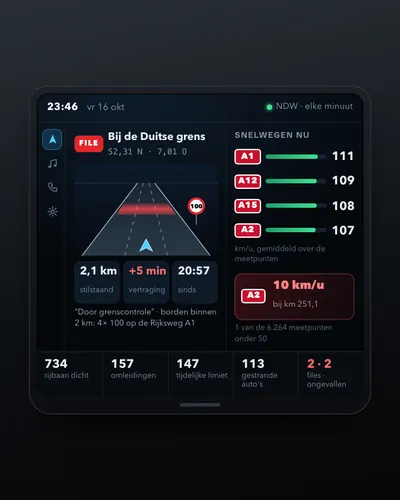 Dashboard of traffic jams, speeds and roadworks
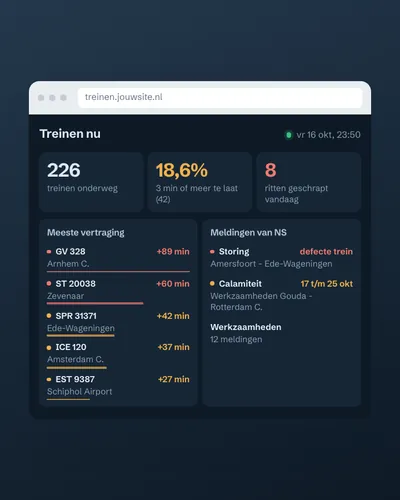 Train delay and disruption dashboard
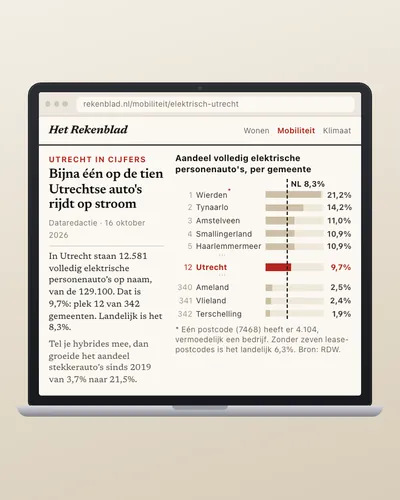 How fast is your municipality going electric?
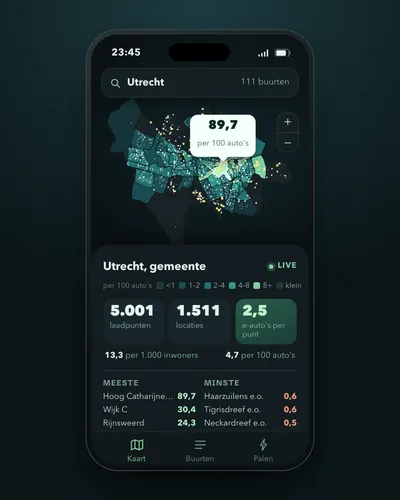 Charging points per neighbourhood and per electric car
 What is flying over my house right now?