Satellite before and after: see how your town or polder changed
Pick a place and two years, and get two cloud-free satellite images side by side with a slider, plus a calculation of how much water became land.
geef_project("satelliet-voor-en-na")geef_bron("landsat")geef_bron("copernicus-sentinel2")geef_bron("nasa-gibs")
I have the project, the tested calls and the pitfalls. I'll build a tool with Landsat, Copernicus Sentinel-2 and NASA GIBS and Worldview. This is how it could look:
You build this yourself. Copy the prompt into Claude, ChatGPT or Cursor, with the MCP server on, or follow the steps below.
This is a mockup, not a working version, with the real Landsat images of 16 July 2006 and 7 April 2025 (fetched on 17 October 2026, 23:33, via Planetary Computer) and the figures from our test run on 16 and 17 October 2026. Turn the MCP server on with the address on For AI.
Who it's for
Journalists who want to show a story about new housing, nature or ports, geography teachers, municipalities and anyone who wants to see how their home town changed.
What you get
A page where you draw a box on the map and choose two years. The app finds the clearest image per year, shows both with a slider and computes the share of water. In the test run on 16 and 17 October 2026 for the Maasvlakte (box 3.95 to 4.10 degrees east, 51.92 to 52.00 north, about 92 km²): the USGS catalogue had 2,383 Landsat images of this box since 1984, 292 of them with less than 10% cloud. The clearest: Landsat 5 on 16 July 2006 and Landsat 9 on 7 April 2025. According to the water bit in the quality band, 68.7% of the box was water in 2006 and 53.9% in 2025: about 13 km² more land, the construction of Maasvlakte 2. Next to that two ready-made images from NASA GIBS without an account: a Landsat annual mosaic from the 1980s (date 1985-12-01, before the western port areas) and Sentinel-2 at 30 metres from 12 May 2025 (HLS_S30). The clearest Sentinel-2 image in the Copernicus catalogue for April and May 2025 was the one of 12 May (0.007% cloud), but downloading its bands requires an account.
Landsat scenes of Amsterdam by satellite: most Landsat 5 (2,047 scenes), then Landsat 8 and Landsat 7
Landsat scenes of Amsterdam by satellite, oktober 2026, in scenes. Total: 4,640; the largest 8 of 8 categories are shown. Landsat 5 is 44% of the total.
How you could start6 steps
- 1
Count what there is: Landsat aggregation at USGS
The USGS STAC server supports the aggregation extension: in one call the number of images per satellite, and with query (eo:cloud_cover below 10) also the number of clear ones. That tells you before searching whether a box has enough images. Level-2 (landsat-c2l2-sr, atmospherically corrected) starts in 1982; Landsat 1 to 3 are only in Level-1. The box in bbox is longitude,latitude (west, south, east, north).
https://landsatlook.usgs.gov/stac-server/aggregate?collections=landsat-c2l2-sr&bbox=3.95,51.92,4.10,52.00&aggregations=total_count,platform_frequency
{"aggregations":[{"name":"total_count","data_type":"integer","value":2383}, {"name":"platform_frequency","data_type":"frequency_distribution","overflow":0,"buckets":[ {"key":"LANDSAT_5","data_type":"string","frequency":919},{"key":"LANDSAT_7","data_type":"string","frequency":675}, {"key":"LANDSAT_8","data_type":"string","frequency":574},{"key":"LANDSAT_9","data_type":"string","frequency":207}, {"key":"LANDSAT_4","data_type":"string","frequency":8}]}], …} - 2
Find the clearest image per year
Search with datetime (one season), query on eo:cloud_cover and sortby=properties.eo:cloud_cover (with 'properties.' in front, otherwise HTTP 400). Use fields to drop assets and links (-assets,-links,-geometry), which saves over 20 kB per image. Skip Landsat 7 after May 2003 (stripes, about 22% of the image missing) and prefer Tier 1 (T1) over Tier 2 (T2). Note: eo:cloud_cover applies to the whole 185 km scene, not to your box.
https://landsatlook.usgs.gov/stac-server/search?collections=landsat-c2l2-sr&bbox=3.95,51.92,4.10,52.00&datetime=2006-04-01T00:00:00Z/2006-09-30T23:59:59Z&query={"eo:cloud_cover":{"lt":10}}&sortby=properties.eo:cloud_cover&limit=5&fields=id,properties.datetime,properties.eo:cloud_cover,properties.platform,-assets,-links,-geometry,-bbox
{"type":"FeatureCollection","numberMatched":7,"numberReturned":5,"features":[ {"stac_version":"1.0.0","id":"LE07_L2SP_199024_20060910_20200914_02_T1_SR","collection":"landsat-c2l2-sr","type":"Feature", "properties":{"datetime":"2006-09-10T10:29:36.146817Z","eo:cloud_cover":0,"platform":"LANDSAT_7"}}, {…,"id":"LE07_L2SP_198024_20060717_20200914_02_T1_SR", … "platform":"LANDSAT_7"}}, {…,"id":"LT05_L2SP_198024_20060911_20200831_02_T2_SR", … "eo:cloud_cover":0,"platform":"LANDSAT_5"}}, {…,"id":"LT05_L2SP_199024_20060716_20200831_02_T1_SR","properties":{"datetime":"2006-07-16T10:33:06.013038Z","eo:cloud_cover":0,"platform":"LANDSAT_5"}}, …], …} - 3
Measure water and land through Planetary Computer
At USGS every download (even a thumbnail) sends you to the login screen. Microsoft Planetary Computer has the same Collection 2 Level-2 without an account, with a processing service on top. The id is shorter: drop the processing date and _SR (LT05_L2SP_199024_20060716_20200831_02_T1_SR becomes LT05_L2SP_199024_20060716_02_T1). POST the box as GeoJSON to /item/statistics with assets=qa_pixel and categorical=true: you get the pixel count per QA value. Bit 7 (128) means water, bit 3 (8) cloud. Without max_size a similar request for ESA WorldCover returned HTTP 502.
curl -X POST "https://planetarycomputer.microsoft.com/api/data/v1/item/statistics?collection=landsat-c2-l2&item=LC09_L2SP_199024_20250407_02_T1&assets=qa_pixel&categorical=true&max_size=1024" \
  -H 'Content-Type: application/json' -d '{"type":"Feature","properties":{},"geometry":{"type":"Polygon","coordinates":[[[3.95,51.92],[4.10,51.92],[4.10,52.00],[3.95,52.00],[3.95,51.92]]]}}'
{"type":"Feature","geometry":{…},"properties":{"statistics":{"qa_pixel_b1":{"min":21762.0,"max":30048.0, … "count":93632.0, … "unique":12.0, "histogram":[[1689.0,33798.0,1041.0,49472.0,479.0,930.0,1257.0,893.0,3954.0,73.0,36.0,10.0], [21762.0,21824.0,21890.0,21952.0,22018.0,22080.0,22280.0,23826.0,23888.0,24082.0,24144.0,30048.0]], "valid_percent":100.0,"masked_pixels":0.0,"valid_pixels":93632.0, …}}}} - 4
Make the two images
The same service crops an image: /item/bbox/<west,south,east,north>/800x600.png with assets red, green and blue and the color_formula Planetary Computer itself uses for Landsat (gamma RGB 2.7, saturation 1.5, sigmoidal RGB 15 0.55). Without that formula the raw values are too dark. Each crop took about 1.3 seconds and 210 to 240 kB.
https://planetarycomputer.microsoft.com/api/data/v1/item/bbox/3.95,51.92,4.10,52.00/800x600.png?collection=landsat-c2-l2&item=LT05_L2SP_199024_20060716_02_T1&assets=red&assets=green&assets=blue&color_formula=gamma RGB 2.7, saturation 1.5, sigmoidal RGB 15 0.55&nodata=0
HTTP 200, Content-Type image/png, 237930 bytes (1,28 s)
(de Maasvlakte in juli 2006: de oude Maasvlakte met de containerterminals, ten westen ervan nog open zee)
- 5
Sentinel-2: searching is open, downloading needs an account
The Copernicus Data Space has a STAC API without robots.txt. Search with POST and a CQL2-JSON filter on eo:cloud_cover. The bands are on S3 (s3://eodata/…) and the download API returns HTTP 401 without a token; the thumbnail is open, but that is the whole 110 km tile in 9 kB. For real Sentinel-2 pixels create a free account, or use Planetary Computer (collection sentinel-2-l2a) or the HLS layer of NASA GIBS (step 6).
curl -X POST "https://stac.dataspace.copernicus.eu/v1/search" \
  -H 'Content-Type: application/json' -d '{"collections":["sentinel-2-l2a"],"bbox":[3.95,51.92,4.10,52.00],"datetime":"2025-04-01T00:00:00Z/2025-05-31T23:59:59Z","filter-lang":"cql2-json","filter":{"op":"<","args":[{"property":"eo:cloud_cover"},5]},"sortby":[{"field":"properties.eo:cloud_cover","direction":"asc"}],"limit":5,"fields":{"include":["id","properties.datetime","properties.eo:cloud_cover"],"exclude":["assets","links","geometry","bbox"]}}'
{"type":"FeatureCollection","links":[{"rel":"next", … "token":"next:sentinel-2-l2a:S2A_MSIL2A_20250519T105711_N0511_R094_T31UET_20250519T150605"}}, …], "features":[ {"id":"S2B_MSIL2A_20250512T105619_N0511_R094_T31UET_20250512T133423","properties":{"eo:cloud_cover":0.006779,"datetime":"2025-05-12T10:56:19.024Z"}}, {"id":"S2B_MSIL2A_20250412T105619_N0511_R094_T31UET_20250412T132010","properties":{"eo:cloud_cover":0.012418,"datetime":"2025-04-12T10:56:19.024Z"}}, {"id":"S2C_MSIL2A_20250427T105641_N0511_R094_T31UET_20250427T163412","properties":{"eo:cloud_cover":0.026506,"datetime":"2025-04-27T10:56:41.025Z"}}, …]} - 6
Ready-made images from NASA GIBS, also from the 1980s
GIBS is an open WMS without a key. Two layers are handy for before and after: HLS_S30_Nadir_BRDF_Adjusted_Reflectance (Sentinel-2 resampled to 30 metres, daily since November 2015, up to 11 October 2026) and Landsat_WELD_CorrectedReflectance_TrueColor_Global_Annual (annual mosaics, only with the dates 1983-12-01 to 1985-12-01, 1988-12-01 to 1990-12-01 and 1998-12-01 to 2000-12-01). Which dates a layer has is in GetCapabilities (2.6 MB) under Dimension. In WMS 1.3.0 with EPSG:4326 the BBOX is latitude,longitude. A date without an image gives a black picture and HTTP 200, not an error (WELD on 1995-12-01: a black 3 kB JPEG). Check the file size and also look for clouds yourself.
https://gibs.earthdata.nasa.gov/wms/epsg4326/best/wms.cgi?SERVICE=WMS&REQUEST=GetMap&VERSION=1.3.0&LAYERS=Landsat_WELD_CorrectedReflectance_TrueColor_Global_Annual&CRS=EPSG:4326&BBOX=51.92,3.95,52.00,4.10&WIDTH=800&HEIGHT=600&FORMAT=image/jpeg&TIME=1985-12-01
HTTP 200, Content-Type image/jpeg, 53300 bytes
(de oude Maasvlakte, grotendeels nog kaal zand; Maasvlakte 2 bestaat nog niet)
How the sources fit together
- LandsatCopernicus Sentinel-2via
coördinaten (bbox) en datumLandsat goes back to 1982 (Level-2) at 30 metres, Sentinel-2 starts in 2015 at 10 metres. Use Landsat for 'before' and Sentinel-2 for a sharp 'after', and say that the pixel size differs.
- LandsatNASA GIBS and Worldviewvia
coördinaten en datum (GIBS-tijd TIME=JJJJ-MM-DD)GIBS provides ready-made pictures from Landsat (WELD) and from Landsat and Sentinel-2 combined (HLS). Handy for a quick look at whether a date was clear before you fetch real pixels.
Let AI build it
Paste this prompt into Claude, ChatGPT, Cursor or Lovable. It names the real endpoints, the join keys and the pitfalls, so the assistant writes working code straight away. Always check the result against the source itself.
Build a web app (Next.js with a small server route, or Python with Flask) where I draw a box on a map and choose two years. The app shows two cloud-free satellite images side by side with a slider, and computes what percentage of the box was water in each year.

Data, all without a key:
1. Search (USGS Landsat STAC): https://landsatlook.usgs.gov/stac-server/search?collections=landsat-c2l2-sr&bbox=<w,s,e,n>&datetime=<year>-04-01T00:00:00Z/<year>-09-30T23:59:59Z&query={"eo:cloud_cover":{"lt":10}}&sortby=properties.eo:cloud_cover&fields=id,properties.datetime,properties.eo:cloud_cover,properties.platform,-assets,-links,-geometry
   Counting: https://landsatlook.usgs.gov/stac-server/aggregate?collections=landsat-c2l2-sr&bbox=<w,s,e,n>&aggregations=total_count,platform_frequency
2. Image and measurement (Microsoft Planetary Computer, data API):
   - Crop: https://planetarycomputer.microsoft.com/api/data/v1/item/bbox/<w,s,e,n>/800x600.png?collection=landsat-c2-l2&item=<id>&assets=red&assets=green&assets=blue&color_formula=gamma RGB 2.7, saturation 1.5, sigmoidal RGB 15 0.55&nodata=0
   - Statistics: POST https://planetarycomputer.microsoft.com/api/data/v1/item/statistics?collection=landsat-c2-l2&item=<id>&assets=qa_pixel&categorical=true&max_size=1024 with the box as a GeoJSON Feature in the body.
3. Sentinel-2 search (Copernicus): POST https://stac.dataspace.copernicus.eu/v1/search with collections ["sentinel-2-l2a"], bbox, datetime and a CQL2-JSON filter on eo:cloud_cover.
4. Ready-made images (NASA GIBS WMS): https://gibs.earthdata.nasa.gov/wms/epsg4326/best/wms.cgi?SERVICE=WMS&REQUEST=GetMap&VERSION=1.3.0&LAYERS=HLS_S30_Nadir_BRDF_Adjusted_Reflectance&CRS=EPSG:4326&BBOX=<s,w,n,e>&WIDTH=800&HEIGHT=600&FORMAT=image/jpeg&TIME=2025-05-12

What you need to know:
- sortby must be properties.eo:cloud_cover or -properties.datetime; without 'properties.' you get HTTP 400. fields keeps assets and links unless you add -assets,-links.
- eo:cloud_cover applies to the whole scene (185 km), not to the box: also count the cloud pixels in the box (QA bit 3) and otherwise pick another image.
- Skip Landsat 7 after 31 May 2003 (stripes) and choose Tier 1 (_T1_ in the id).
- USGS id to Planetary Computer id: drop the processing date and _SR. LT05_L2SP_199024_20060716_20200831_02_T1_SR becomes LT05_L2SP_199024_20060716_02_T1.
- QA_PIXEL is a bit mask: value & 128 = water, & 8 = cloud, & 16 = cloud shadow. Water percentage = pixels with bit 7 / all pixels. The number of pixels differs per image (different orbit): work in percentages of the box.
- USGS downloads require a login; Copernicus bands are on S3 and the download API returns 401 without a token. Planetary Computer and GIBS work without an account. Planetary Computer ran about a week behind USGS on 15 October 2026.
- Coordinate order: STAC and Planetary Computer longitude,latitude; WMS 1.3.0 with EPSG:4326 latitude,longitude.
- Use the same season for both years when possible: tides, wet sand flats and leaves on trees change the measurement.
- Attribution: 'Landsat imagery: USGS/NASA Landsat Program', Copernicus Sentinel-2 (modified), NASA GIBS. Send your own User-Agent.

Output: a map with a drawing tool, two year pickers, a comparison slider with both images and their date and satellite, and below it 'Water: 68.7% (2006) and 53.9% (2025), about 13 km² more land', with the caveat that the water bit is an estimate.
Try it yourself
The core of the project in a small script. Needs: Python 3.10+ en requests. Tested on 2026-10-17; below is the real output of that run.
# Satelliet voor en na: hoeveel land kwam er bij op de Maasvlakte tussen 2006 en 2025?
# Bronnen: Landsat (USGS STAC + Microsoft Planetary Computer), Copernicus Sentinel-2 (STAC), NASA GIBS (WMS). Geen sleutel.
import json, requests

UA = {"User-Agent": "mijn-project/1.0 (+jij@voorbeeld.nl)"}
VAK = [3.95, 51.92, 4.10, 52.00]                  # lengte/breedte: west, zuid, oost, noord (Maasvlakte)
USGS = "https://landsatlook.usgs.gov/stac-server"
PC = "https://planetarycomputer.microsoft.com/api"
WOLK = json.dumps({"eo:cloud_cover": {"lt": 10}})

# 1. Hoeveel Landsat-opnamen zijn er van dit vak, en hoeveel bijna wolkenvrij? Eén aanroep met de aggregatie-extensie.
agg = requests.get(f"{USGS}/aggregate", headers=UA, timeout=60, params={
    "collections": "landsat-c2l2-sr", "bbox": ",".join(map(str, VAK)), "aggregations": "total_count,platform_frequency"}).json()
helder = requests.get(f"{USGS}/aggregate", headers=UA, timeout=60, params={
    "collections": "landsat-c2l2-sr", "bbox": ",".join(map(str, VAK)), "query": WOLK, "aggregations": "total_count"}).json()
totaal = agg["aggregations"][0]["value"]
per = {b["key"]: b["frequency"] for b in agg["aggregations"][1]["buckets"]}
print(f"Landsat Level-2 boven het vak: {totaal} opnamen, {helder['aggregations'][0]['value']} met minder dan 10% wolken")
print("  per satelliet:", ", ".join(f"{k} {v}" for k, v in sorted(per.items())))

# 2. De helderste opname uit het voorjaar en de zomer van elk jaar. Landsat 7 heeft sinds 2003 strepen: sla die over,
#    net als Tier 2 (T2, minder nauwkeurig gelegd).
def beste(jaar):
    r = requests.get(f"{USGS}/search", headers=UA, timeout=60, params={
        "collections": "landsat-c2l2-sr", "bbox": ",".join(map(str, VAK)), "query": WOLK, "limit": 20,
        "datetime": f"{jaar}-04-01T00:00:00Z/{jaar}-09-30T23:59:59Z", "sortby": "properties.eo:cloud_cover",
        "fields": "id,properties.datetime,properties.eo:cloud_cover,properties.platform,-assets,-links,-geometry"}).json()
    return next(f for f in r["features"] if f["properties"]["platform"] != "LANDSAT_7" and "_T1_" in f["id"])

# 3. Planetary Computer: zelfde opname, maar zonder account. Tel per pixel het waterbit (bit 7) van de QA_PIXEL-band.
def water(usgs_id):
    d = usgs_id.split("_")                         # LT05_L2SP_199024_20060716_20200831_02_T1_SR
    pc_id = "_".join(d[:4] + d[5:7])               # ->  LT05_L2SP_199024_20060716_02_T1
    vlak = {"type": "Feature", "properties": {}, "geometry": {"type": "Polygon", "coordinates": [[
        [VAK[0], VAK[1]], [VAK[2], VAK[1]], [VAK[2], VAK[3]], [VAK[0], VAK[3]], [VAK[0], VAK[1]]]]}}
    st = requests.post(f"{PC}/data/v1/item/statistics", headers=UA, json=vlak, timeout=120, params={
        "collection": "landsat-c2-l2", "item": pc_id, "assets": "qa_pixel", "categorical": "true", "max_size": 1024}).json()
    aantallen, waarden = next(iter(st["properties"]["statistics"].values()))["histogram"]
    nat = sum(n for n, v in zip(aantallen, waarden) if int(v) & 128)
    beeld = requests.get(f"{PC}/data/v1/item/bbox/{','.join(map(str, VAK))}/800x600.png", headers=UA, timeout=120, params={
        "collection": "landsat-c2-l2", "item": pc_id, "assets": ["red", "green", "blue"], "nodata": 0,
        "color_formula": "gamma RGB 2.7, saturation 1.5, sigmoidal RGB 15 0.55"})
    open(f"{pc_id}.png", "wb").write(beeld.content)
    return pc_id, nat / sum(aantallen), len(beeld.content)

# Oppervlak van het vak in km2 (bij benadering, op 52 graden noorderbreedte).
km2 = (VAK[2] - VAK[0]) * 111.32 * 0.6157 * (VAK[3] - VAK[1]) * 111.32
uitkomst = {}
for jaar in (2006, 2025):
    f = beste(jaar)
    pc_id, aandeel, grootte = water(f["id"])
    uitkomst[jaar] = aandeel
    print(f"\n{jaar}: {f['properties']['platform']} {f['properties']['datetime'][:10]}, wolken (hele scène) {f['properties']['eo:cloud_cover']}%")
    print(f"  {pc_id}: water {aandeel:.1%} van het vak; beeld opgeslagen ({grootte // 1000} kB)")
print(f"\nVak {km2:.0f} km2: water {uitkomst[2006]:.1%} -> {uitkomst[2025]:.1%}, "
      f"dus ongeveer {(uitkomst[2006] - uitkomst[2025]) * km2:.0f} km2 meer land")

# 4. Sentinel-2 (Copernicus): zoeken mag zonder account, de banden downloaden niet (401 zonder token).
s2 = requests.post("https://stac.dataspace.copernicus.eu/v1/search", headers=UA, timeout=60, json={
    "collections": ["sentinel-2-l2a"], "bbox": VAK, "datetime": "2025-04-01T00:00:00Z/2025-05-31T23:59:59Z", "limit": 3,
    "filter-lang": "cql2-json", "filter": {"op": "<", "args": [{"property": "eo:cloud_cover"}, 5]},
    "sortby": [{"field": "properties.eo:cloud_cover", "direction": "asc"}]}).json()
s = s2["features"][0]
print(f"\nSentinel-2 helderst in april-mei 2025: {s['id'][:24]} … wolken {s['properties']['eo:cloud_cover']:.3f}%")
print(f"  banden: {s['assets']['B04_10m']['href'][:40]}… (S3, account nodig)")

# 5. NASA GIBS: kant-en-klare beelden, open WMS. HLS_S30 = Sentinel-2 op 30 m; Landsat WELD = jaarmozaïek uit de jaren 80.
for laag, datum in [("Landsat_WELD_CorrectedReflectance_TrueColor_Global_Annual", "1985-12-01"),
                    ("HLS_S30_Nadir_BRDF_Adjusted_Reflectance", s["properties"]["datetime"][:10])]:
    r = requests.get("https://gibs.earthdata.nasa.gov/wms/epsg4326/best/wms.cgi", headers=UA, timeout=120, params={
        "SERVICE": "WMS", "REQUEST": "GetMap", "VERSION": "1.3.0", "LAYERS": laag, "CRS": "EPSG:4326",
        "BBOX": f"{VAK[1]},{VAK[0]},{VAK[3]},{VAK[2]}", "WIDTH": 800, "HEIGHT": 600, "FORMAT": "image/jpeg", "TIME": datum})
    open(f"gibs_{laag[:10]}_{datum}.jpg", "wb").write(r.content)
    print(f"GIBS {laag} {datum}: {r.status_code} {r.headers['Content-Type']} {len(r.content) // 1000} kB")
Landsat Level-2 boven het vak: 2383 opnamen, 292 met minder dan 10% wolken
  per satelliet: LANDSAT_4 8, LANDSAT_5 919, LANDSAT_7 675, LANDSAT_8 574, LANDSAT_9 207

2006: LANDSAT_5 2006-07-16, wolken (hele scène) 0%
  LT05_L2SP_199024_20060716_02_T1: water 68.7% van het vak; beeld opgeslagen (237 kB)

2025: LANDSAT_9 2025-04-07, wolken (hele scène) 0.23%
  LC09_L2SP_199024_20250407_02_T1: water 53.9% van het vak; beeld opgeslagen (211 kB)

Vak 92 km2: water 68.7% -> 53.9%, dus ongeveer 13 km2 meer land

Sentinel-2 helderst in april-mei 2025: S2B_MSIL2A_20250512T1056 … wolken 0.007%
  banden: s3://eodata/Sentinel-2/MSI/L2A/2025/05/1… (S3, account nodig)
GIBS Landsat_WELD_CorrectedReflectance_TrueColor_Global_Annual 1985-12-01: 200 image/jpeg 53 kB
GIBS HLS_S30_Nadir_BRDF_Adjusted_Reflectance 2025-05-12: 200 image/jpeg 72 kB
Where it goes wrong
- Clouds are counted per scene, not per box. A 185 km scene with 0% cloud is clear in your box, but a scene with 8% can be cloudy right above your polder. So also count the cloud pixels (QA bit 3) in your own box. In the 2025 image 1,257 of the 93,632 pixels in the box were flagged as cloud.
- Downloading works differently at each source: USGS sends every download to a login screen, Copernicus returns HTTP 401 without a token (only a 9 kB thumbnail is open), Planetary Computer and GIBS work without an account. Build your app on the last two if you do not want to manage accounts.
- Ids differ between USGS and Planetary Computer (the processing date and _SR are dropped). Passing the USGS id straight to Planetary Computer gives HTTP 404 ('No item … found in landsat-c2-l2 collection').
- The water bit is an estimate. Wet sand flats, shadows and the tide change the result, and the two images are from different seasons (July 2006 and April 2025). Present '13 km² more land' as an order of magnitude, not as the official area of Maasvlakte 2.
- Coordinates flip between services: STAC and Planetary Computer longitude,latitude (3.95,51.92,…), GIBS WMS 1.3.0 with EPSG:4326 latitude,longitude (51.92,3.95,…). For a date without data GIBS still returns a black picture with HTTP 200.
- Landsat 7 has stripes without data since 31 May 2003 (about 22% of the image). The two clearest images of 2006 were both Landsat 7; the script skips them and takes Landsat 5.
Take it further
- Make a time series instead of two images: take the clearest summer image per year since 1985 and plot the share of water or green (NDVI from red and nir08) as a line. That shows the year Maasvlakte 2 rose from the sea.
- Clip to a municipal boundary from PDOK (districts and neighbourhoods) instead of a rectangle, and measure how much a municipality was paved over since 1985.
- For the 'after' image use real Sentinel-2 pixels at 10 metres through Planetary Computer (collection sentinel-2-l2a) or with a free Copernicus account, and compare the sharpness with Landsat.
- Make a gif or video of all clear images (292 for the Maasvlakte) with the date burned in.
More with this data
Landsat scenes of Amsterdam: 138 scenes in 2025, 30% less than in 1985
Landsat scenes of Amsterdam, 1985 – 2025, in scenes. The highest point was 1985 (196).
The Netherlands on an almost cloudless 12 April 2025, seen by NASA's VIIRS camera
True colour from NASA's GIBS map service, layer VIIRS_SNPP_CorrectedReflectance_TrueColor. You can see the Wadden Islands, the IJsselmeer and the Flevoland polders, the Zeeland delta and the light patches of the cities. The straight seam on the right is the edge between two overpasses. One pixel is hundreds of metres here: enough for the country, too coarse for your street.
The sources3

Landsat
The American Landsat satellites have imaged the earth since 1972. That makes it the longest satellite image record there is: over Amsterdam alone 6,754 scenes, the oldest from 5 September 1972. Detail: 30 metres per pixel, 60 metres in the early years.

Copernicus Sentinel-2In depth
The Sentinel-2 satellites image the whole of the Netherlands every few days, in thirteen spectral bands. Detail: 10 metres per pixel.

NASA GIBS and WorldviewIn depth
Over a thousand map layers from NASA satellites, ready to use as images: from the daily true-colour view to night lights, fires and snow.
More to build
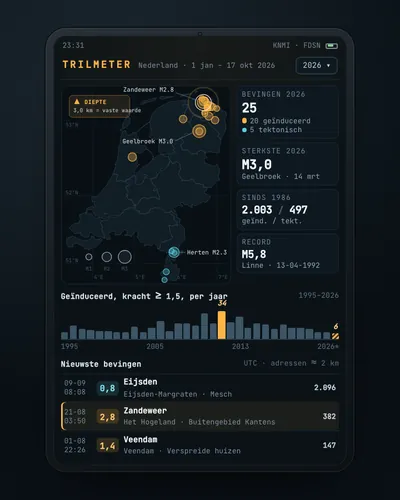 Earthquake tracker: every quake on the map, with municipality and homesMap
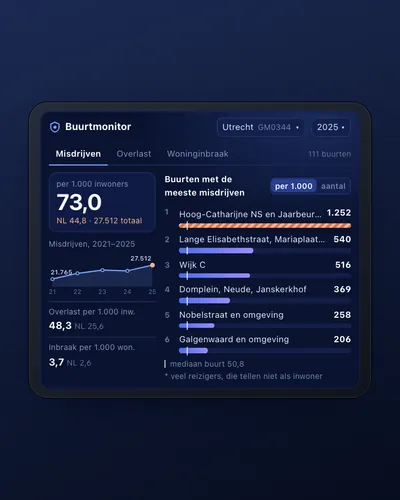 Neighbourhood safety monitor: nuisance and crime per neighbourhoodDashboard
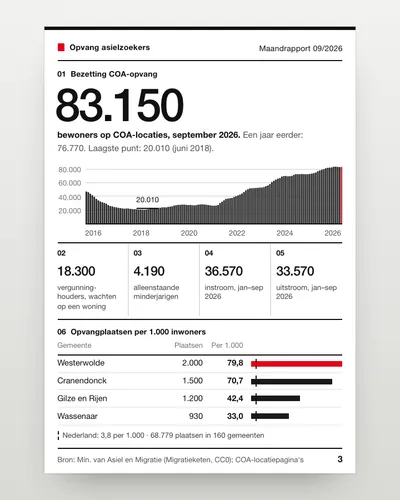 Asylum reception dashboard: national and per municipalityDashboard
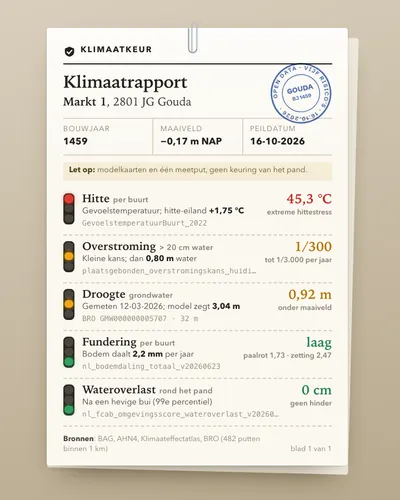 Climate risk check for an addressTool
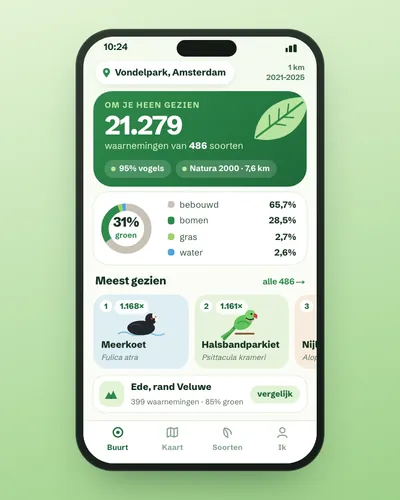 Nature in your neighbourhood: which species were seen and how green is it?App
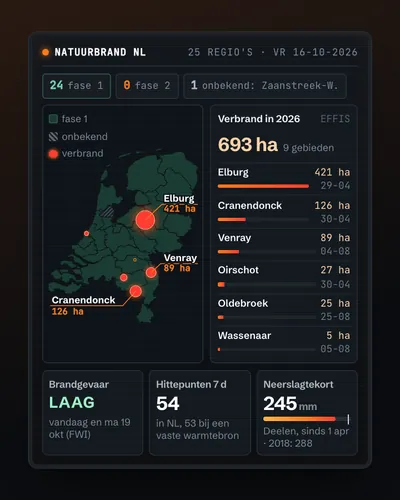 Wildfire map: today's risk, hotspots and burnt landMap